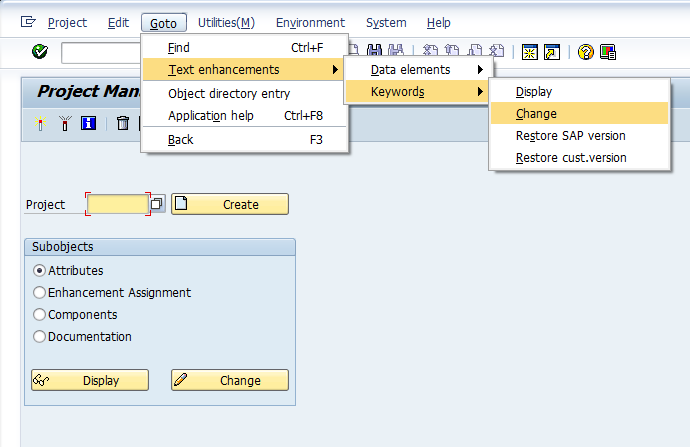
Well, completely by accident, a friend of mine taught me a cool new trick. There is a standard way to change data type descriptions of standard SAP fields without doing any sort of core mods. It’s all built right into transaction CMOD, and I never knew it was available. I truly learn something new about SAP all the time. So, here goes… go to transaction CMOD, then use the following menu path:
Goto–>Text Enhancements–>Keywords–>Change
Next, select the data element you want to change the description.
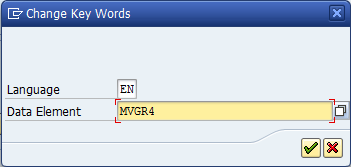
I picked MVGR4 for an example.
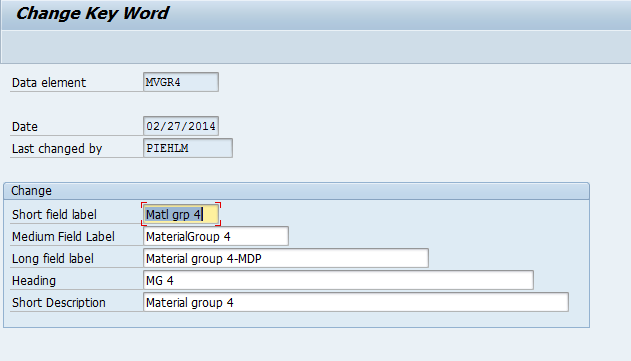
Now update any descriptions you want to change. Save it, and attach it to a transport. You’re done.
Take a look at what happens in VA02 for this field now:
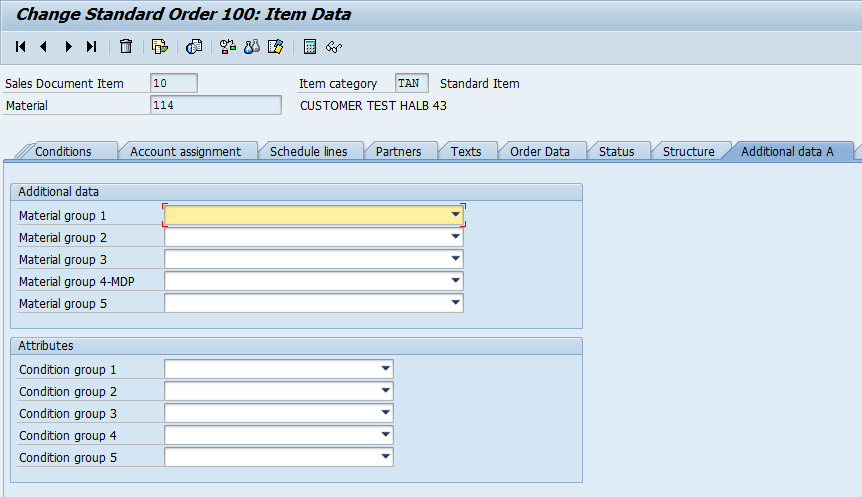
Pretty cool, and pretty easy.
Thanks for reading,
Very cool trick Mike. Looks like you can also tie it to a screen. Very useful for renaming the standard customer attributes on XD02 “additional data”.
Nice tips, this is what I love about SAP, the ability to customize almost everything.’
Very nice trick.. nice work ,