So while building my new territory manager, I ran into a small piece that I forgot about. Adding a checkbox to a table control. Turns out, it’s pretty easy, but not exactly intuitive. So, make sure you have a character based column, that is only 1 char in length. Once you have that, you can do the following.
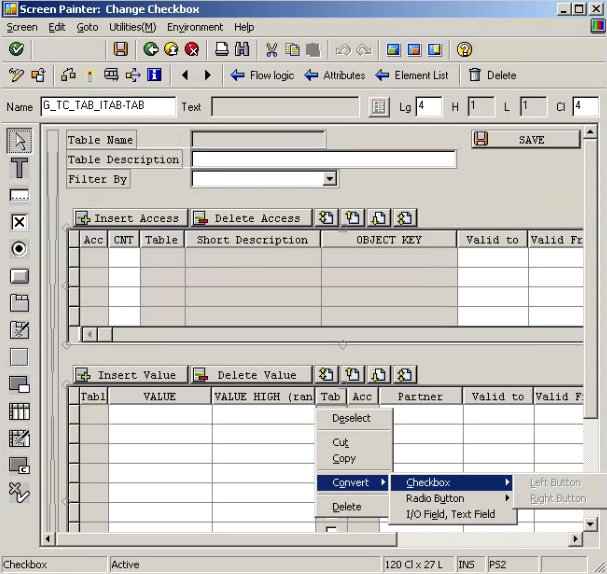
Right click on the column, select convert->checkbox-> either left or Right button.
it will then convert your character column to a checkbox.
Thanks for reading,